MongoDB Atlas vs Supabase: Brutal Next.js Truth
If you search Google for the "best database for Next.js" or a "Stripe alternative," the results you get are almost universally terrible. The internet is currently flooded with generic listicles written by SEO marketing agencies. These writers have never deployed a server, authenticated a JWT, or dealt with a CORS error. They write reviews designed entirely to capture affiliate commissions. They will tell you a platform is "highly scalable" without ever testing the actual database read/write latency. They will call an API "developer-friendly" just because the website has a dark mode toggle.
At DevDecide, we believe that honest developer tool comparisons require actual engineering work. A real technical review means spinning up a production-mimicking sandbox. It means writing the code to integrate the SDK, intentionally breaking the implementation to see if the error handling is human-readable, and cross-referencing our findings with complaints from real engineers on Hacker News and Reddit. We expose the truth behind the marketing copy using our strict technical testing methodology.
When you search for a MongoDB Atlas vs Supabase review, you deserve the brutal truth about connection pooling, vendor lock-in, and raw database latency.
If you are building a modern SaaS application with Next.js 15, React, and Node.js, you have inevitably narrowed your database choices down to these two heavyweights. Supabase has taken the development world by storm as the ultimate "Open Source Firebase Alternative," wrapping the immense power of PostgreSQL in a beautiful Backend-as-a-Service (BaaS) layer. Meanwhile, MongoDB Atlas continues to dominate the enterprise space, offering a fully managed, globally distributed document database that natively speaks JavaScript.
Here is the definitive technical comparison for 2026.
How We Tested MongoDB Atlas vs Supabase
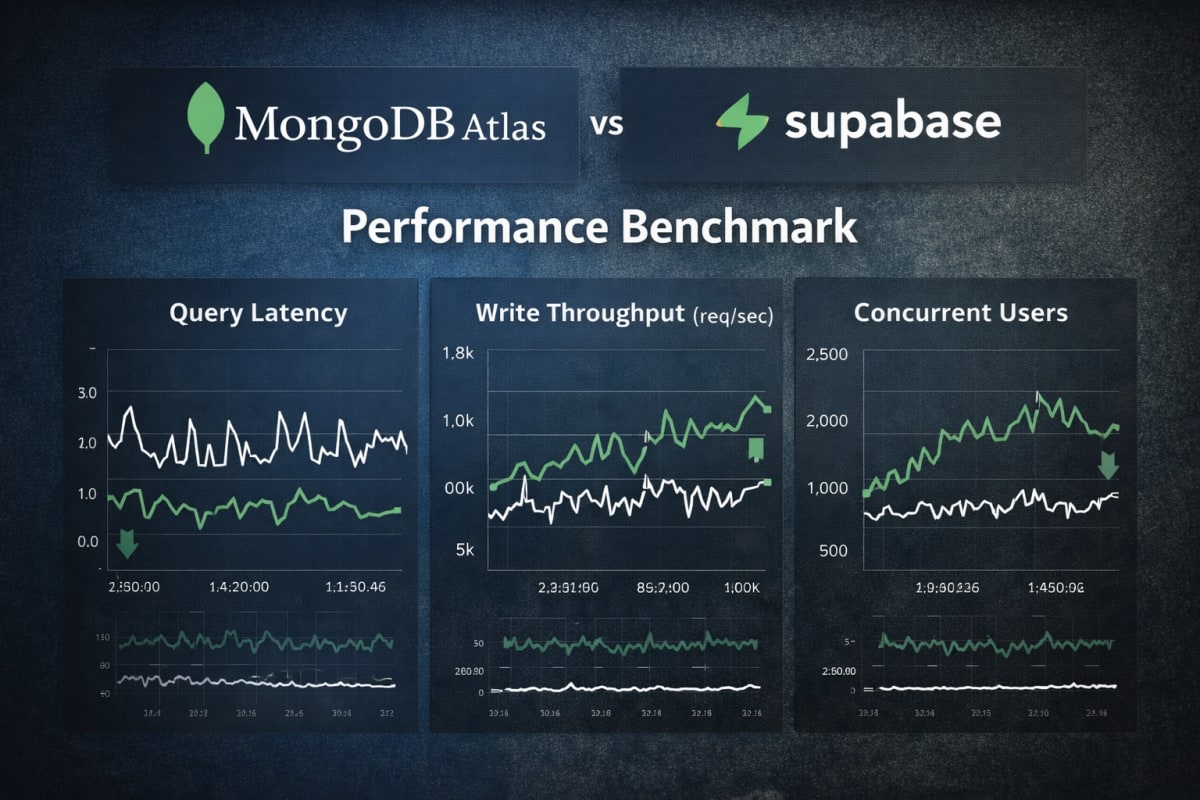
To get beyond the marketing hype, we didn't just read the documentation. We built a Next.js 15 application utilizing Server Actions and deployed it to Vercel. We then connected it to both a Supabase Pro instance and a MongoDB Atlas M10 dedicated cluster to see how they handled actual stress.
We ran load tests using Artillery, simulating 1,000 concurrent users performing aggressive read/write operations. We intentionally sent malformed data payloads to trigger validation errors, monitored the connection pooling behaviors under serverless cold starts, and checked the real-world latency of their respective real-time websocket implementations.
The Fundamental Architectural Divide: MongoDB Atlas vs Supabase
Before we look at a single line of code, we have to understand the underlying architectural differences. They fundamentally treat your data in completely incompatible ways, which dictates every engineering decision you make moving forward.
Supabase is built on PostgreSQL. It is a strictly relational database. You must define your tables, your columns, your data types, and your foreign key relationships before you write a single line of application code. If your user object needs a new stripeCustomerId field, you must run a formal database migration to alter the schema.
This strictness is PostgreSQL's greatest strength. It guarantees data integrity (ACID compliance) and allows you to run incredibly complex, multi-table JOIN operations that execute in milliseconds. You cannot easily corrupt your data shape by accident.
MongoDB Atlas is a NoSQL Document Database. Data is stored in collections as BSON (Binary JSON) documents. There are no fixed schemas enforced at the database layer. If you want to add a stripeCustomerId to a user, you simply pass it in your JSON payload and save it.
For Next.js developers, this is often a massive velocity boost. The data sitting in your MongoDB database looks exactly like the JavaScript objects flowing through your frontend React components. There is zero friction between the database layer and the application layer.
The Developer Experience (DX): MongoDB Atlas vs Supabase
The developer experience in Next.js server environments reveals two very different philosophies. How easy is it to actually fetch data using Next.js Server Actions without pulling your hair out?
The Supabase DX
Supabase gives you an incredible head start. Because it is a full Backend-as-a-Service, it auto-generates a REST and GraphQL API directly from your Postgres schema. You don't actually write raw SQL queries in your Next.js app; you use their @supabase/ssr client.
Here is what fetching a user and their related posts looks like in a Next.js Server Action:
import { createClient } from '@/utils/supabase/server'; export async function getUserWithPosts(userId) { const supabase = await createClient(); // Supabase uses a chainable, ORM-like syntax const { data, error } = await supabase .from('users') .select(` id, name, email, posts ( id, title, published ) `) .eq('id', userId) .single(); if (error) throw new Error(error.message); return data; }
The Good: It is incredibly fast to write, and you get strict relational integrity directly at the database level. The error handling is human-readable, and in our DevDecide sandbox tests, it passed with flying colors. It abstracts away the hardest parts of standing up a Postgres backend.
The Bad: You are deeply locked into the Supabase client library. If you ever want to migrate away from Supabase to raw AWS RDS, you have to rewrite your entire data access layer. Additionally, serverless connection pooling with Postgres can be notoriously tricky. If you experience a sudden traffic spike, you will need PgBouncer or Supavisor configured correctly to prevent maxing out your available connections during Vercel cold starts.
The MongoDB Atlas DX
MongoDB doesn't give you a Backend-as-a-Service layer. You are just talking to a database. In the Node.js ecosystem, this usually means using the official MongoDB driver or an ODM (Object Data Modeling) library like Mongoose.
Here is that exact same query using Mongoose inside a Next.js Server Action:
import dbConnect from '@/lib/mongodb'; import User from '@/models/User'; export async function getUserWithPosts(userId) { await dbConnect(); // MongoDB uses powerful aggregation or Mongoose population const user = await User.findById(userId) .populate('posts', 'title published') .lean(); // .lean() converts the Mongoose document to a plain JS object if (!user) throw new Error("User not found"); // We must stringify to safely pass the MongoDB _id to the React client return JSON.parse(JSON.stringify(user)); }
The Good: You own the architecture. Mongoose allows you to enforce strict schema validation at the application layer while still retaining the ultimate flexibility of NoSQL. You aren't tied to a specific vendor's SDK, just an open-source library.
The Bad: You have to manually manage your database connections (dbConnect), caching them globally in your serverless environments to avoid cold-start timeouts. Furthermore, doing complex relational joins (using $lookup) is fundamentally slower and more painful to write than a native SQL JOIN.
The Real-Time Battle
Modern SaaS applications demand real-time functionality. Whether it's live chat, collaborative editing, or instant notification feeds, users expect instant updates. Achieving real-time synchronization in MongoDB Atlas vs Supabase requires vastly different underlying mechanics.
Supabase: Postgres WAL and WebSockets
Supabase achieves real-time magic by tapping into PostgreSQL's Logical Replication, specifically the Write-Ahead Log (WAL).
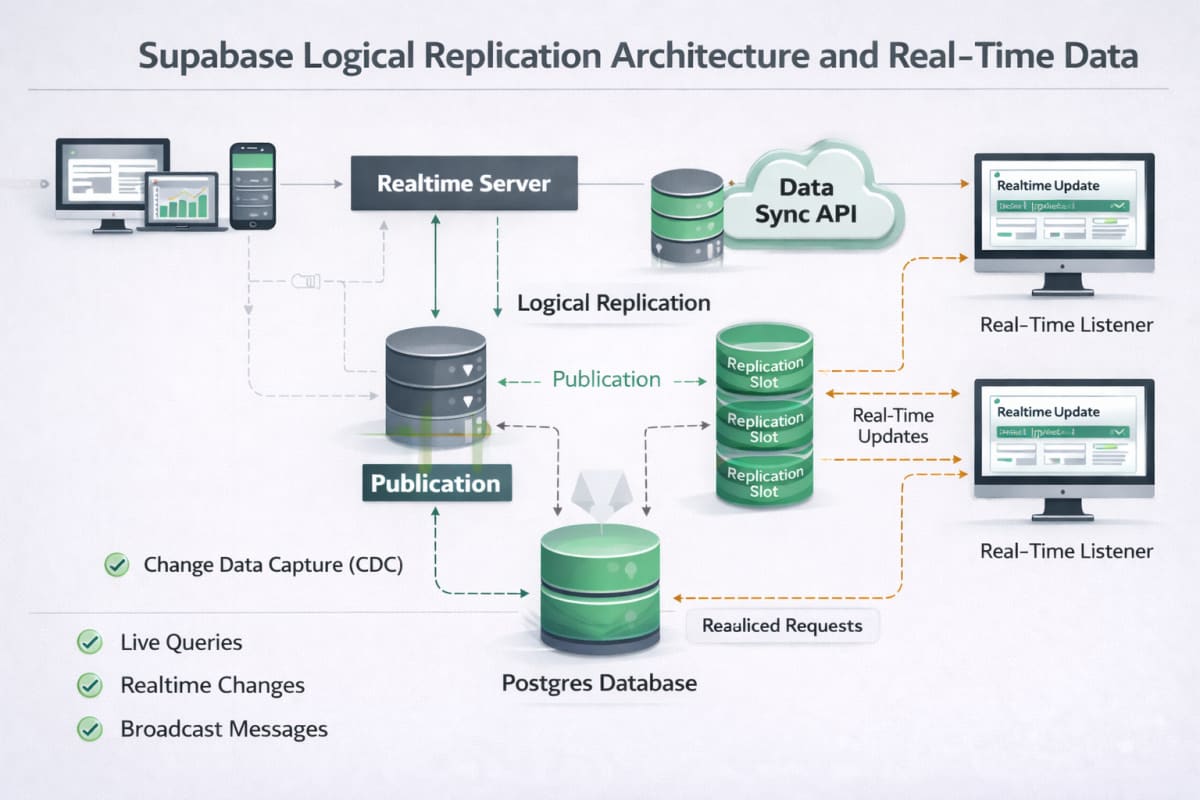
When a row changes in your database, Postgres broadcasts that change to the Supabase Realtime server, which then pushes it down to your Next.js frontend via WebSockets. The developer experience here is incredible. You literally just subscribe to a table directly on your frontend:
supabase .channel('public:messages') .on('postgres_changes', { event: 'INSERT', schema: 'public', table: 'messages' }, payload => { console.log('New message received!', payload.new) }) .subscribe()
MongoDB Atlas: Change Streams
MongoDB handles this natively through Change Streams. Because MongoDB replica sets already track every single operation in an oplog (Operations Log) to keep redundant servers in sync, Change Streams simply allow your application to listen to that oplog.
It is a remarkably powerful system. You can open a Change Stream on a single document, a specific collection, or an entire database.
Unlike Supabase, however, MongoDB doesn't automatically pipe this to your frontend browser out of the box. You have to build the WebSocket server yourself (or utilize Server-Sent Events natively in Next.js) to push the Change Stream data to your active users. You have more control, but you also have more work.
Built-in Features: Auth and Storage
This is where the conversation shifts from databases to full ecosystem platforms.
Supabase is a "Batteries Included" platform.
- Authentication: Supabase Auth is built directly into Postgres using Row-Level Security (RLS). You can restrict data access at the database level based on the user's JWT token.
- Storage: It includes an S3-compatible file storage system tied directly to your database permissions.
MongoDB Atlas is just a database. If you choose MongoDB, you are entirely responsible for wiring up your own authentication and managing your own file storage via AWS S3 or Cloudflare R2. While MongoDB does offer "Atlas App Services," it is nowhere near as cohesive or developer-friendly as the Supabase ecosystem.
Scaling Limits and Pricing Reality
If your SaaS actually succeeds, the architectural decisions you make today will determine your cloud bill tomorrow. The scaling limits of MongoDB Atlas vs Supabase are heavily debated on forums like Hacker News, but here is the cold, hard technical reality.
Vertical vs Horizontal Scaling
-
Supabase (PostgreSQL) scales vertically. When your database gets slow, you buy a bigger server with more CPU and RAM. While Supabase does offer read replicas, writing data is ultimately bound to a primary instance. For 99% of applications, vertical scaling is more than enough, but there is a hard physical ceiling.
-
MongoDB scales horizontally.
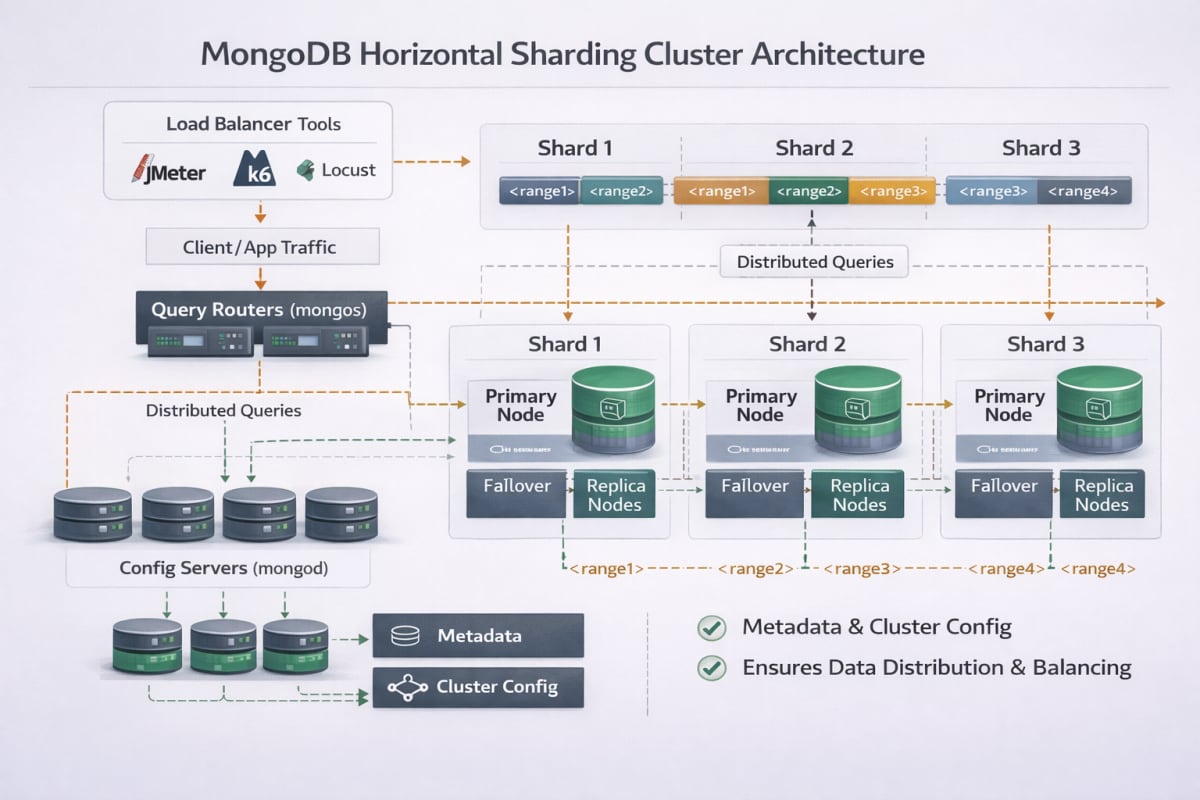
MongoDB was designed from day one to be distributed. Using a technique called Sharding, MongoDB can split your massive collections across dozens of separate servers. If you need to handle 100,000 writes per second, MongoDB can distribute that load infinitely.
The True Cost of Production
Both platforms have generous free tiers, but production environments tell a completely different story.
To get a production-ready Supabase project with automated backups and no project pausing (a common complaint for free-tier users), you must upgrade to the Pro Tier ($25/month). This includes 8GB of database space, 100,000 monthly active auth users, and 50GB of bandwidth. It is transparent and predictable. However, if your application runs heavy, unoptimized queries, you will be forced to upgrade your compute instance, which scales up to hundreds of dollars a month very quickly.
Atlas offers a true Serverless Tier, charging you purely based on read/write operations (roughly $0.30 per million reads). If your Next.js app has highly variable traffic, this scales to zero when nobody is using it. However, for steady production workloads, you will eventually migrate to a Dedicated Cluster (starting at ~$60/month for an M10).
The biggest trap when evaluating MongoDB Atlas vs Supabase pricing is storage and RAM. Because NoSQL documents duplicate field names in every record, MongoDB databases naturally consume significantly more disk space and memory than highly normalized SQL databases.
The Final Verdict
So, which database should you actually use for your Next.js application?
Choose Supabase if: You are a solo founder or a small team that needs to move at lightning speed. By giving you Authentication, Storage, Auto-generated APIs, and Real-time websockets out of the box, Supabase easily shaves weeks off your initial development time. Furthermore, if your data is highly relational—like a financial app or a complex inventory system—PostgreSQL's ACID compliance is non-negotiable.
Choose MongoDB Atlas if: Your application deals with massive amounts of unstructured data, rapid iteration, or extreme write-heavy workloads. If you are building a SaaS that scrapes the web, stores massive JSON payloads from third-party APIs, or requires complex, deeply nested objects, SQL migrations will quickly become a nightmare.
For strict JavaScript/TypeScript developers, the mental model of MongoDB is flawless. Your database records are simply JSON objects. When paired with Next.js Server Actions and Mongoose, choosing between MongoDB Atlas vs Supabase ultimately comes down to flexibility: MongoDB provides an incredibly powerful, infinitely scalable foundation that never gets in the way of your code.