Honest HubSpot CRM Review: API Limits & Pricing Traps
If you search Google for a HubSpot CRM Review or the "best CRM for a SaaS backend," the results you get are almost universally terrible. The internet is currently flooded with generic listicles written by SEO marketing agencies. These writers have never deployed a server, authenticated a JWT, or dealt with a CORS error. They write reviews designed entirely to capture affiliate commissions. They will tell you a platform is "highly scalable" without ever testing the actual database read/write latency or hitting a rate limit in production. They will call an API "developer-friendly" just because the website has a dark mode toggle.
At DevDecide, we believe that honest developer tool comparisons require actual engineering work. A real technical review means spinning up a production-mimicking sandbox. It means writing the code to integrate the SDK, intentionally breaking the implementation to see if the error handling is human-readable, and cross-referencing our findings with complaints from real engineers on Hacker News and Reddit. We expose the truth behind the marketing copy using our strict technical testing methodology.
When you are building a B2B SaaS, you don't care about glossy landing page copy. You care about what happens when your Node.js backend tries to sync 10,000 user billing events into the CRM simultaneously. You need to know where the rate limits are hidden and what the cloud bill will actually look like when you hit scale.
If your marketing team demands Salesforce, prepare for a miserable integration involving legacy SOAP APIs and complex, archaic object architectures. If they choose HubSpot, the developer experience is significantly better out of the box—but it comes with severe API limits and a pricing trap that can literally bankrupt an early-stage startup.
Here is the ultimate technical breakdown, detailing exactly what integrating this platform looks like in a modern JavaScript production environment.
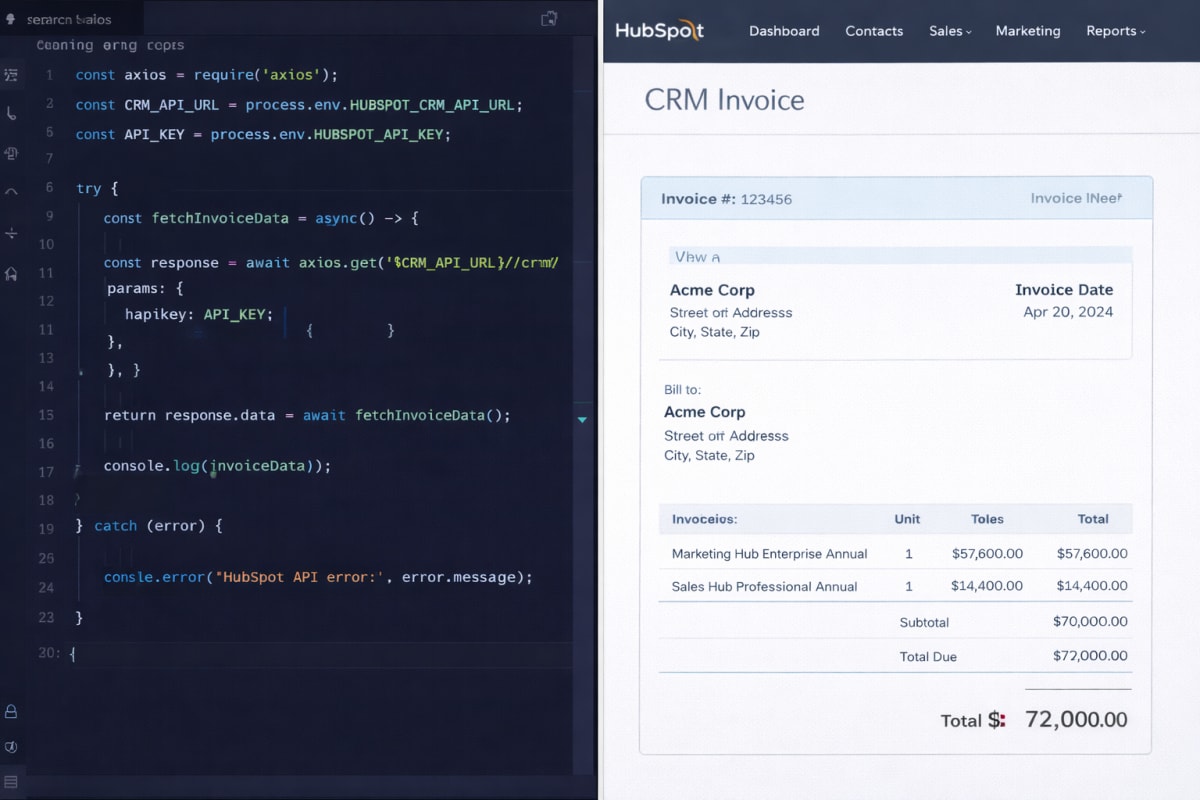
1. HubSpot CRM Review: The v3 API Developer Experience (Rating: 4.8/5)
HubSpot's legacy v1 and v2 APIs were notoriously inconsistent, returning bizarre XML payloads or nested JSON that made parsing a nightmare. Thankfully, their modern v3 API is a masterclass in RESTful design and developer ergonomics for the JavaScript ecosystem.
Everything in the system is treated as a standard CRM Object (Contacts, Companies, Deals, Tickets). The endpoints are highly predictable, the Postman-powered documentation actually works with real-world examples, and the error responses won't make you want to pull your hair out.
Syncing Data from Node.js
When a user signs up for your SaaS application, you need to instantly create a Contact in HubSpot to trigger onboarding emails. Forget complex OAuth 2.0 flows if you are just building internal server-to-server syncs; HubSpot allows you to create "Private Apps" to generate a secure, static Bearer token.
Here is exactly how clean a generic Node.js service function looks using the official @hubspot/api-client library:
const hubspot = require('@hubspot/api-client'); // Initialize the client globally in your backend service const hubspotClient = new hubspot.Client({ accessToken: process.env.HUBSPOT_ACCESS_TOKEN }); async function syncUserToHubspot(user) { const contactObj = { properties: { email: user.email, firstname: user.firstName, lastname: user.lastName, lifecyclestage: 'customer', saas_plan: user.planType // Custom property mapped in HubSpot }, }; try { const apiResponse = await hubspotClient.crm.contacts.basicApi.create(contactObj); return apiResponse.id; } catch (error) { console.error("HubSpot Sync Failed:", error.message); throw error; } } module.exports = { syncUserToHubspot };
The Node.js SDK abstracts the underlying HTTP requests away entirely, giving you fully typed methods for every standard and custom CRM object. Whether you are running Express, Fastify, or AWS Lambda, it just works.
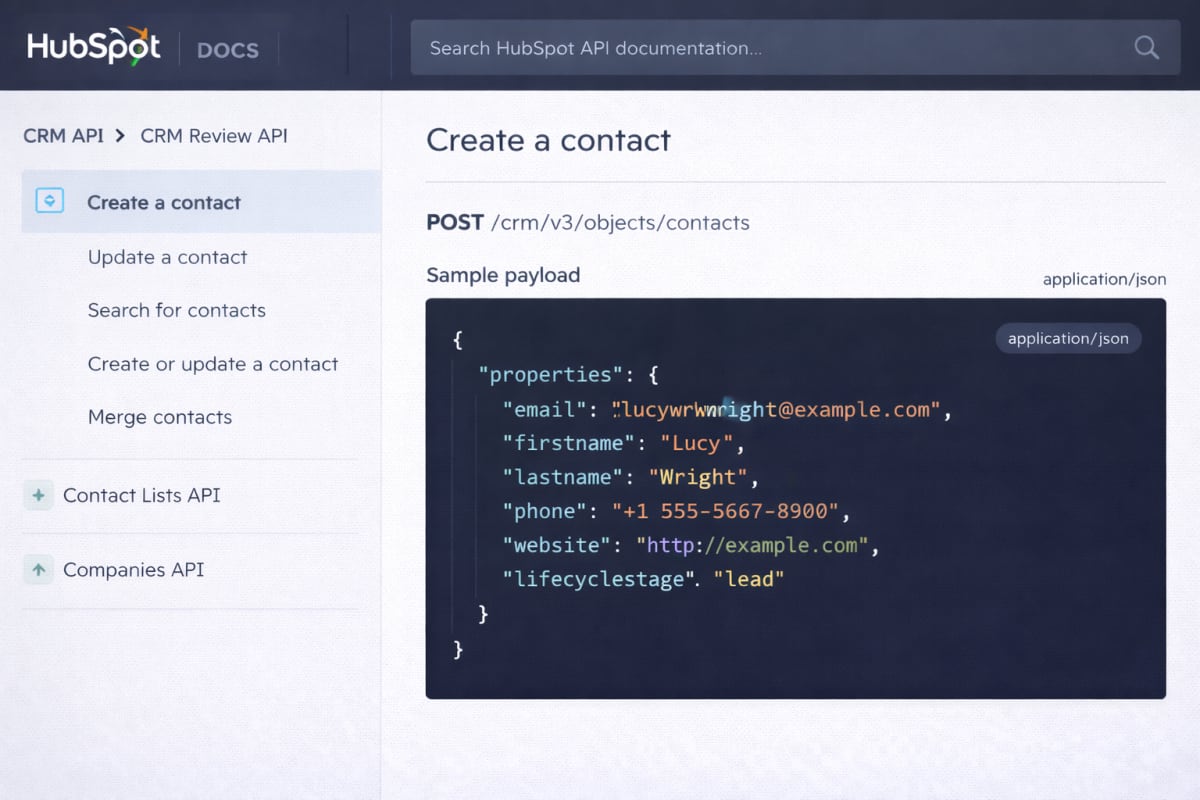
2. The Catch: Hidden Rate Limits (Rating: 3/5)
This is where the honeymoon phase ends. HubSpot protects its underlying database infrastructure aggressively, and they will throttle your Node.js application without hesitation if you spike their servers.
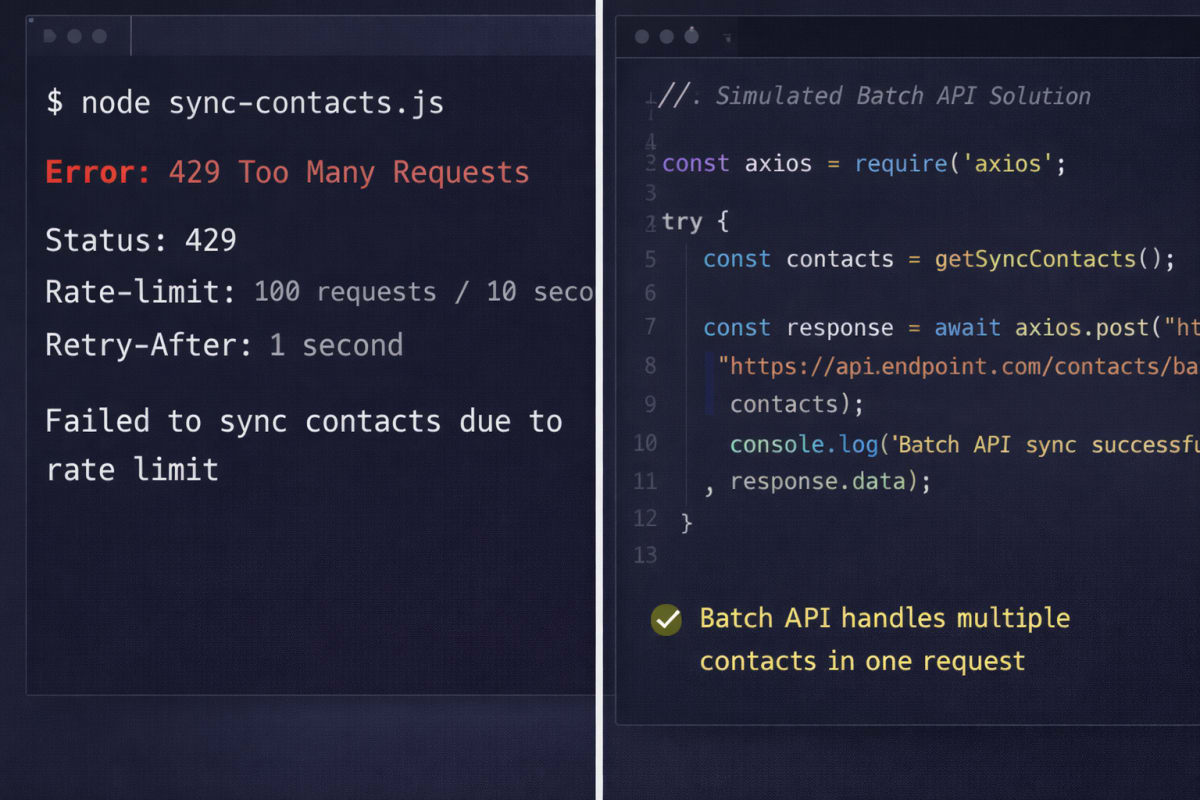
During our testing for this HubSpot CRM Review, we discovered that if you are on the Free or Starter tier, your Private App is hard-capped at 100 requests per 10 seconds and 250,000 requests per day. Upgrading to the extraordinarily expensive Professional or Enterprise tiers only bumps that burst limit to 150-190 requests per 10 seconds.
That 100 requests/10s limit sounds generous at first glance. However, the moment you run a historical data migration, or a background cron job tries to update a batch of active users at the end of a billing cycle, that limit vanishes instantly.
Surviving the 429 Too Many Requests Error
If you blow past this API limit, HubSpot immediately throws a 429 Too Many Requests error. Keep bombarding them with unoptimized API calls, and they will temporarily block your token entirely. To survive this in a production Node.js environment, you must implement two specific architectural patterns in your backend. Here is the summary:
- Batch APIs: Never loop through asynchronous updates one by one. Use HubSpot's specific
/batchendpoints to update up to 100 CRM records in a single, consolidated network request. - Queueing & Throttling: For massive background syncs, you cannot rely on a naive
Promise.all(). You must use a concurrency library likep-limit, or better yet, a robust task queue like BullMQ paired with Redis. This ensures your Express server never exceeds 10 concurrent outgoing requests per second to HubSpot.
3. Two-Way Sync: Webhook Architecture (Rating: 4.5/5)
Pushing data to HubSpot is easy. But what happens when a sales rep manually upgrades a user's billing tier inside the HubSpot UI, and you need that status change reflected in your primary Postgres database immediately?
You need Webhooks. HubSpot lets you subscribe to specific CRM events (like contact.propertyChange). When it triggers, HubSpot fires a POST request back to your backend API.
The Security Imperative (v3 Signatures in Express.js)
You cannot just leave an API route exposed on the internet, or malicious actors will forge JSON requests and systematically corrupt your database. HubSpot utilizes v3 Signatures (HMAC SHA-256) so your server can mathematically prove the incoming webhook actually originated from HubSpot's infrastructure.
To validate this in Node.js, you must capture the raw request body before it gets parsed into JSON. Here is the exact code required to securely validate a HubSpot webhook inside a standard Express.js application:
const express = require('express'); const crypto = require('crypto'); const app = express(); // Crucial: We need the raw buffer to accurately calculate the HMAC signature app.use('/api/webhooks/hubspot', express.raw({ type: 'application/json' })); app.post('/api/webhooks/hubspot', (req, res) => { const signature = req.headers['x-hubspot-signature-v3']; const timestamp = req.headers['x-hubspot-request-timestamp']; // Prevent replay attacks (reject if older than 5 minutes) const MAX_ALLOWED_TIMESTAMP = 300000; if (Date.now() - timestamp > MAX_ALLOWED_TIMESTAMP) { return res.status(401).json({ error: "Timestamp expired" }); } const rawBody = req.body.toString('utf8'); const uri = `https://app.leadbug.io/api/webhooks/hubspot`; // Exact Webhook URL // The v3 string to sign const stringToSign = req.method + uri + rawBody + timestamp; // Generate HMAC SHA-256 hash using your HubSpot App Secret const hashedSignature = crypto .createHmac('sha256', process.env.HUBSPOT_CLIENT_SECRET) .update(stringToSign) .digest('base64'); if (crypto.timingSafeEqual(Buffer.from(hashedSignature), Buffer.from(signature))) { // Signature matches, safe to parse and process const events = JSON.parse(rawBody); console.log("Processing HubSpot Events:", events); return res.status(200).json({ success: true }); } else { return res.status(401).json({ error: "Invalid signature" }); } });
This cryptographic infrastructure is bulletproof. HubSpot even automatically retries failed webhooks with an exponential backoff for up to three days, buying your DevOps team critical time if your backend servers go down during a weekend outage.
4. The Pricing Reality: The Professional Cliff (Rating: 2/5)
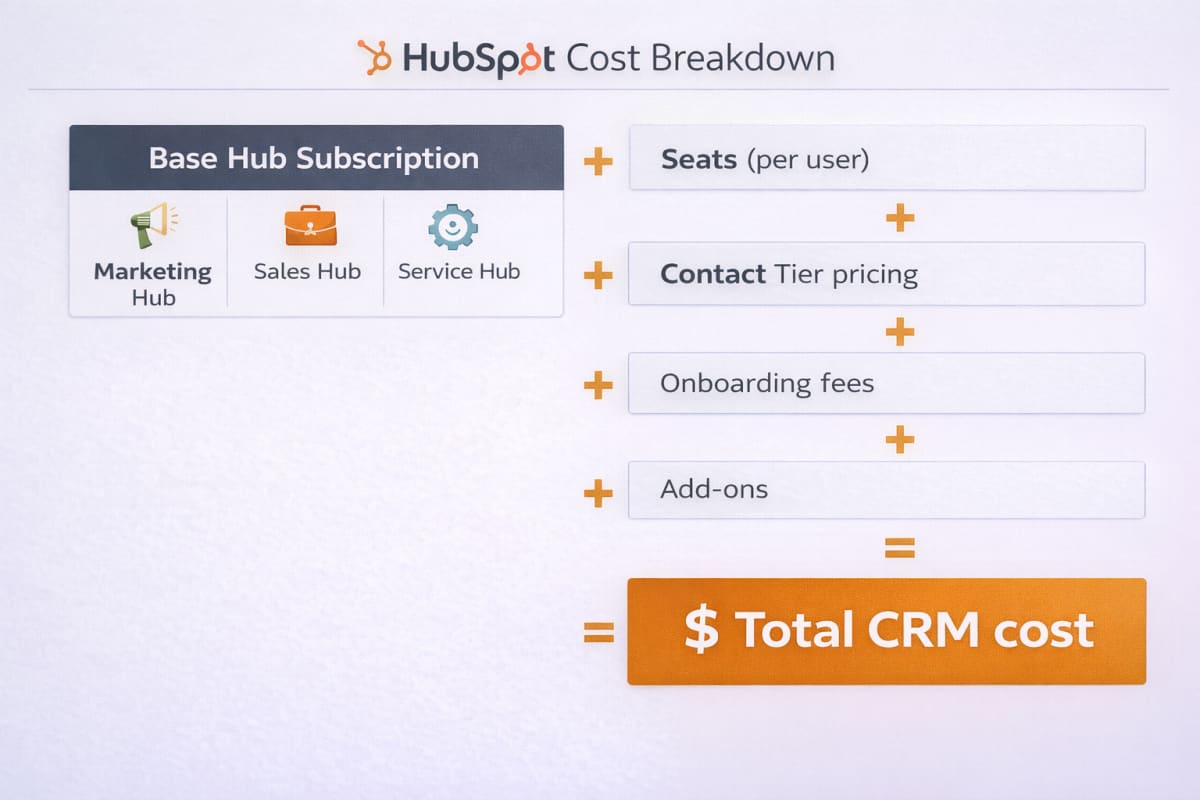
In every honest HubSpot CRM Review, the pricing cliff is the absolute elephant in the room. Here is the brutal software pricing analysis you will simply never find on their glossy marketing pages. HubSpot's pricing model is a brilliantly disguised trap explicitly designed to lock in early-stage startups and extract maximum revenue later.
The Starter Tier is genuinely fantastic. For roughly $15 to $20 a month, we get a world-class CRM, marketing tools, and custom API access. It is the perfect sandbox for a lean engineering team to validate a product.
But eventually, your startup will grow. The absolute second your sales team demands custom reporting dashboards, advanced multi-branch workflow automation, or custom CRM objects to track complex data arrays, you are immediately forced onto the Professional Tier.
The price jump is incredibly violent. The Professional Tier instantly catapults your bill to roughly $800 to $890 per month. Worse, HubSpot strictly forces you to pay a mandatory, one-time onboarding fee of $3,000 just to flip the switch on your account to activate those features. Going from a $15/month subscription to a sudden $4,000+ upfront invoice has wiped out the precious runway of countless bootstrapped founders.
The Final Verdict
To conclude this HubSpot CRM Review, if we evaluate the platform strictly on its backend engineering and Node.js developer experience, it is an absolute masterpiece. The v3 API is a joy to work with, the @hubspot/api-client is actively maintained without breaking changes, and the webhook infrastructure is genuinely enterprise-grade and secure.
Integrate HubSpot if:
- You are a well-funded B2B SaaS startup prioritizing rapid engineering velocity over a tight budget.
- Your go-to-market and sales teams refuse to use lesser-known, open-source CRM alternatives.
- You are fully prepared to write custom queueing logic (like BullMQ/Redis) in your Node.js backend to respect their strict 10-second rate limits.
Avoid HubSpot if:
- You are a bootstrapped solo founder. If your company cannot afford a sudden, unavoidable $1,000/month CRM bill later this year, do not start here. Migrating highly relational customer data out of HubSpot later is an absolute nightmare. Look into developer-friendly, flat-pricing alternatives instead.
HubSpot provides an incredible developer experience that will save your backend team weeks of engineering time—just make sure your startup's bank account is prepared to handle the inevitable upgrade.