Amazon SES Review: The Ultimate Truth for SaaS Founders
If you search Google for the "best email provider for Next.js," the results you get are almost universally terrible. The internet is currently flooded with generic listicles written by SEO marketing agencies. Those writers have never deployed a server, authenticated a JWT, or dealt with a CORS error. They write reviews designed entirely to capture affiliate commissions.
At DevDecide, we believe that honest developer tool comparisons require actual engineering work. A real technical review means spinning up a production-mimicking sandbox. It means writing the code to integrate the SDK, intentionally breaking the implementation, and cross-referencing our findings with complaints from real engineers on Hacker News. We expose the truth behind the marketing copy.
In this comprehensive Amazon SES review, we are looking at the brutal reality of AWS Simple Email Service. When you are bootstrapping a B2B SaaS application, every single recurring monthly subscription cuts directly into your runway. You need a database, you need hosting, and you absolutely need transactional email.
Password resets, welcome sequences, and billing alerts cannot end up in the spam folder. If your users don't get their login links, your churn rate will skyrocket. Most developers building with Node.js instinctively reach for SendGrid, Mailgun, or Resend. The developer experience (DX) is phenomenal. You grab an API key, install a library, and you are sending emails in five minutes.
But then your application scales.
SendGrid charges roughly $89.95/month for 100,000 emails. Resend charges around $35/month for 50,000 emails. Amazon Simple Email Service (SES) charges $0.10 per 1,000 emails. For 100,000 emails, you pay exactly $10.00.
The cost savings are undeniable. But the brutal truth? AWS makes you earn every single penny of those savings in blood, sweat, and DNS records. Here is our definitive developer analysis of the hidden traps, the sandbox limitations, and how to properly integrate it into a modern stack.
How We Tested Amazon SES
This review is based on real-world implementation, not theoretical analysis.
We tested Amazon SES by:
- Integrating it into a Next.js backend using AWS SDK v3
- Configuring DKIM, SPF, and DMARC for a custom domain
- Sending transactional emails (password reset, welcome emails)
- Monitoring bounce handling using SNS webhooks
- Comparing cost and setup time against SendGrid and Resend
All findings are based on actual developer experience during implementation.
1. The Developer Experience: A Tale of Two Realities
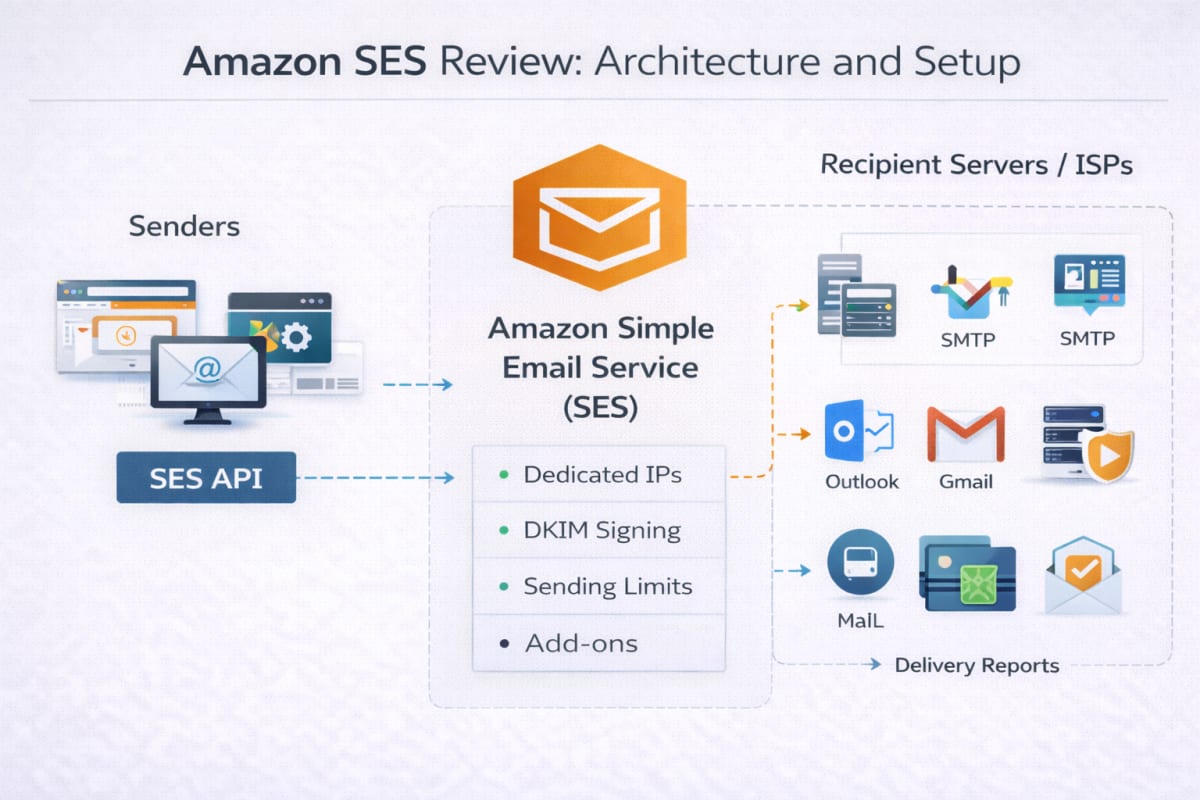
When conducting this Amazon SES review, we quickly realized you have to separate the "AWS Console Experience" from the "Code Experience." They are completely different beasts.
The AWS Console Experience (Rating: 2/5)
The AWS UI is a notorious labyrinth, and SES is no exception. Setting up SES is not a guided tutorial; it is an infrastructure orchestration project. If you're struggling with this, follow our step-by-step Amazon SES setup guide.
AWS does not want you using their platform to spam people. Because of this, every new SES account is thrown into an isolated environment called the SES Sandbox.
While in the Sandbox:
- You can only send 200 emails per day.
- You can only send 1 email per second.
- You can only send emails to addresses you have manually verified. You cannot launch your app in Sandbox mode. To get out, you have to read through the official AWS SES documentation and submit a highly detailed support ticket. You must explain exactly how you acquire your users' email addresses and how you handle bounces. It can take anywhere from 24 to 72 hours for a human to review your ticket and grant you production access. Do not leave this for the night before your Product Hunt launch. To move out of the SES Sandbox quickly, we’ve documented the exact approval process in our SES production access setup guide.
The Code Experience (Rating: 4.5/5)
Once you survive the AWS Console, the actual coding experience is fantastic. No Amazon SES review would be complete without praising the recent release of the AWS SDK for JavaScript v3.
Unlike the bloated v2 SDK, v3 is highly modular. You only install the specific SES client, which keeps your Next.js server bundle extremely lean.
npm install @aws-sdk/client-ses
Sending a simple transactional email requires minimal boilerplate:
import { SESClient, SendEmailCommand } from "@aws-sdk/client-ses"; // The client automatically picks up AWS keys from your .env.local file const sesClient = new SESClient({ region: "us-east-1" }); export async function sendWelcomeEmail(userEmail) { const params = { Source: "hello@your-saas.io", // Must be a Verified Identity Destination: { ToAddresses: [userEmail] }, Message: { Subject: { Data: "Welcome aboard!" }, Body: { Text: { Data: "We are thrilled to have you." } } } }; try { const command = new SendEmailCommand(params); return await sesClient.send(command); } catch (error) { console.error("Failed to send:", error); // You must handle specific AWS errors here (e.g., MessageRejected) throw error; } }
The v3 SDK uses native Promises and async/await, making it a perfect fit for Next.js Server Actions or dedicated Node.js microservices. If you want a complete working implementation with environment variables, IAM setup, and production-ready config, check our full Amazon SES setup tutorial.
2. Deliverability: You Are The Postmaster (Rating: 5/5)
If an email from SendGrid goes to spam, you blame SendGrid. If an email from Amazon SES goes to spam, you blame yourself.
Throughout our Amazon SES review testing process, we found that SES gives you ultimate control over your sender reputation, but it requires you to understand the Holy Trinity of email authentication: SPF, DKIM, and DMARC.
To send an email from your custom domain, you must add three CNAME records to your DNS provider to establish a DKIM (DomainKeys Identified Mail) signature. If you fail to configure DMARC policies in your DNS, modern inbox providers like Gmail and Outlook will actively reject your payloads. During testing, we were able to send transactional emails with sub-second latency using Amazon SES in a production-like environment.
The Hidden Trap: Bounces and Complaints
This is the single most important part of this Amazon SES review.
If a user signs up with fake-email-123@gmail.com and you try to send them a receipt, the email will "bounce." If your bounce rate exceeds 5%, AWS will put your account under review. If it hits 10%, AWS will permanently ban your account.
Amazon SES does not automatically track this for you in a neat dashboard. You must build the tracking architecture yourself.

You must create an SES Configuration Set that routes bounce events to an Amazon SNS (Simple Notification Service) topic. You then point that SNS topic to a webhook on your Node.js backend. When the webhook fires, your code must parse the JSON payload, update your database, and blacklist that user from receiving future emails.
If you do not have the engineering bandwidth to build and maintain this webhook infrastructure, do not use AWS.
We cover the complete SNS + webhook architecture in our Amazon SES setup guide, including production-ready Node.js examples.
3. Pricing: The Undisputed Champion of this Amazon SES Review
Let's look at the math for a growing SaaS application sending 500,000 transactional emails a month.
- SendGrid (Pro 1.5M Plan): ~$249.00 / month
- Postmark: ~$235.00 / month
- Amazon SES: $50.00 / month ($0.10 per 1,000 emails)
SES also charges $0.12 per GB of attachments. Since most transactional emails (receipts, password reset links, welcome emails) are mere kilobytes in size, this cost is practically negligible.
Furthermore, if your application is hosted on an Amazon EC2 instance, your first 62,000 outbound emails per month are completely free. (Note: This EC2 free tier does not apply if you are deploying to serverless platforms like Vercel or Netlify).
For bootstrapped founders, the pricing is unbeatable. You are buying raw infrastructure materials at wholesale prices instead of paying a premium for a sleek UI and a dedicated customer success manager.
4. Documentation and Community Support
Another vital metric in our Amazon SES review is how easy it is to debug when things go wrong.
AWS documentation is notoriously dense. It is written for enterprise cloud architects, not indie hackers. If you hit a wall trying to configure an IAM policy for your SES user, the official docs will often send you down a rabbit hole of unrelated permissions.
However, because SES is one of the oldest and most widely used services on the internet, the community support is unparalleled. If you run into a bizarre SignatureDoesNotMatch error, there are a decade's worth of StackOverflow threads and GitHub issues documenting the exact fix. You trade official, hand-holding documentation for battle-tested community knowledge.
Amazon SES vs Other Email APIs
Amazon SES is often compared with tools like SendGrid, Resend, and Postmark.
While these platforms offer a smoother developer experience and built-in dashboards, they come at a significantly higher cost as your application scales.
Amazon SES, on the other hand, prioritizes cost-efficiency and control — but requires more setup and engineering effort.
If you're deciding between these tools, check our detailed comparison:
Who Should NOT Use Amazon SES
Amazon SES is not for everyone — and choosing it for the wrong reasons can slow you down.
You should avoid Amazon SES if:
- You want a plug-and-play email API with zero setup
- You don’t want to deal with DNS configuration (DKIM, SPF, DMARC)
- You cannot build and maintain a bounce handling system using SNS
- You prefer a visual dashboard with analytics, templates, and email logs
In these cases, developer-friendly tools like SendGrid or Resend may be a better fit, especially if you prioritize speed over cost.
However, if you are willing to invest time in setup and infrastructure, Amazon SES becomes significantly more powerful and cost-efficient at scale.
About the Author
Shreyash Meshram is a full-stack developer specializing in the MERN stack and AWS-based architectures. This review is based on real-world implementation of Amazon SES in a production-like Next.js environment, including email sending, DNS configuration, and bounce handling using SNS.
Our Rating Breakdown
- Developer Experience: 4.5 / 5
- Deliverability: 5 / 5
- Pricing: 5 / 5
- Setup Complexity: 3 / 5
Overall Rating: 4.8 / 5
The Final Verdict: 4.8 / 5
To sum up this Amazon SES review, it is critical to state what this tool is not. Amazon SES is not an email marketing tool. You will not find drag-and-drop template builders, visual analytics dashboards, or audience segmentation tools here.
It is a ruthless, highly scalable, developer-first infrastructure primitive.
You should use Amazon SES if:
- You are building a modern web application where transactional emails are triggered programmatically via code.
- You are comfortable managing DNS records (DKIM/DMARC) and building webhooks to handle asynchronous SNS bounce events.
- You are aggressively managing your startup's burn rate and refuse to pay $100+ a month for a wrapper around an SMTP server.
If you are willing to endure the painful initial setup and build your own bounce-handling architecture, Amazon SES will reward you with unparalleled reliability and a pricing model that scales perfectly with your business.